01Three conditions that make documents go unread
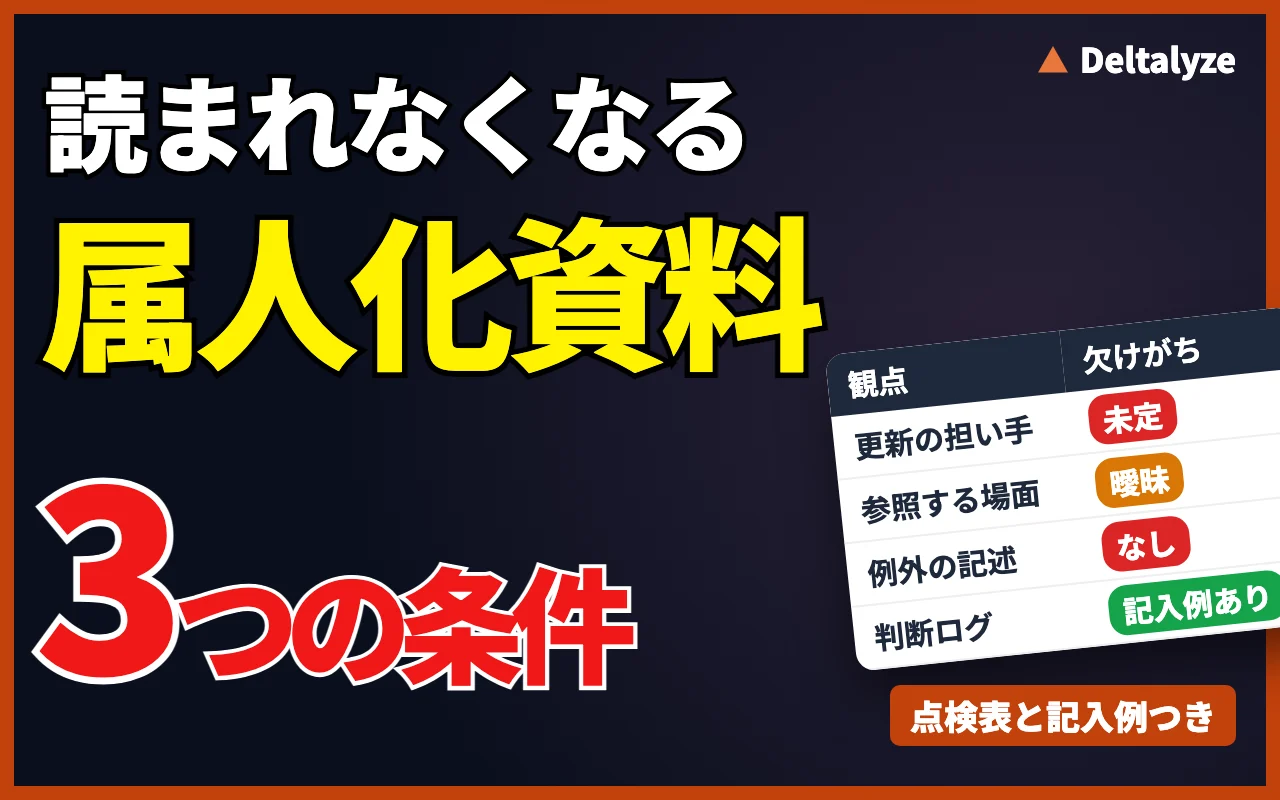
Unused documentation shares three traits. First, nobody owns the updates: writing is run as a handover project, but revision belongs to no one. Second, there is no moment in the working day when the document is consulted. When the place of work and the place of record are separate, people fall back on memory. Third, exceptions are missing. Standard cases can be handled by anyone; the difficulty lies in the exceptions, and those stay in the author's head.
Once these three conditions hold, the document begins aging the moment it is finished. Nobody reading it after six months is not negligence. It is the design working as built.
The same design shows up in how handovers are run. In a survey of 200 managers at companies with 1,000 or more employees (taiziii, published 2026), verbal explanation and sharing existing manuals were the two most common handover methods, each cited by 107 respondents (53.5%). The most frequently named problem was that tacit knowledge does not get transferred. Documents get written, and the reasoning behind the judgements stays verbal.
- No owner for updates
- No moment of use inside the workflow
- Exception handling left unwritten
02Documents that go stale with every rule change
Documentation decay is easiest to see in work where regulations keep changing, such as sustainability disclosure. When disclosure rules change, the data to be disclosed changes, and so does the way it is collected. The manual should be revised every time, but the team is busy responding to the change itself, so updating the manual gets postponed.
As the postponement continues, each person starts adapting to the new rules in their own way. The same thing happens when a system is replaced. Before long, the same process is run differently by different people.
The lesson is that organizing a process once, at a single point in time, is not enough. Whatever you document will be outdated by the next rule change. Whether you can prevent key-person dependency depends on having a mechanism that keeps the documentation current.
03A checklist for the documents you already have
The three conditions double as a checklist. Run each handover document you have through the table below. A document with two or more "No" answers will likely follow the same path even if you rewrite it.
The point is not how well the document is written. Look at where it sits relative to the work. However detailed it is, a document buried in a folder far from the screen where the work happens will not be opened during a busy close.
The last item can only be answered by trying it. Give a likely successor the document alone, ask them to process the most recent cycle, and have them mark every place they had to stop. Those marks become a list of the decisions the document is missing.
What to do next depends on which items came back "No." If no one owns updates, name an owner and a review date first. If the document is hard to reach, link it directly from the sheet or workflow used for the work. If exceptions are missing, start collecting them with the decision log in the next section before trying to write them up.
| Check | Yes / No | Notes (who, when, where) |
|---|---|---|
| Last updated after the most recent change to the process | ||
| A named person owns updates | ||
| Reachable directly from the screen or sheet where the work is done | ||
| Exceptions and the reasoning behind them are written down | ||
| A successor completed the latest cycle using only this document |
04A record and an asset are different things
A record preserves the work as it was on the day it was written. Each change to the process moves reality further away from it, so its value peaks on the day it is written. An asset grows through use: every execution adds information, and every decision sharpens the criteria. What a team needs against key-person dependency is the second one.
The difference is not the format but the trigger for updates. A procedure document grows only when someone decides to update it and does the work. When a process is treated as an asset, finishing one item is itself the update. Whether information accumulates without anyone doing extra work decides whether the dependency comes back.
There is no need to throw away existing procedures. Keep only the standard process in the procedure document, and let day-to-day decisions accumulate in a separate field. The standard process changes less often, so the procedure goes stale more slowly.
05Build a form that grows through execution
To turn work into an asset, keep the place of recording and the place of execution the same. What the operator decided, which data was consulted, and why something was treated as an exception should accumulate as a by-product of doing the work. Insert a separate write-up step and it will break there.
The same applies when AI is involved. Teaching an AI a procedure and stopping there freezes it at the knowledge of that day. Only when human corrections are fed back into the next suggestion does the system grow as an asset.
What matters most is preserving the reason for each correction. Knowing what was changed does not allow anyone to reproduce the judgment. Knowing why it was changed does.
In practice, add one row to the decision log below for each item processed. Only items that could not be handled the standard way need a row. Logging standard cases as well turns it into a chore, and it stops.
The most important column is the reason. Instead of writing "per policy," write which condition of the policy you judged applied. Put the log where the work happens, such as a comment column in the processing sheet or the notes field in the workflow tool.
Do not drop the reviewer column. When an exception is decided by the operator alone, the reasoning closes back inside one person. Whether a reviewer can read the reason and agree with it is the test of whether a successor will understand it.
- Do not separate execution from recording
- Feed human corrections into the next suggestion
- Preserve the reasoning, not just the outcome
| Date | Item | Type (standard / exception) | What was decided | Data consulted | Reason | Reviewer |
|---|---|---|---|---|---|---|
06Worked example: invoice payment processing
The following is a fictional example. It assumes an accounting team that checks supplier invoices and schedules them for payment. The standard process is "schedule invoices that have a matching purchase order and receiving record for payment on their due date." The dates are illustrative only.
The first two rows both depart from the standard process. The first is an exception that can be resolved with internal data, the receiving record. The second waits on an external step, confirmation with the supplier. Because the reason column says why the item was stopped, another operator facing the same situation can reach the same decision.
Look at the third row. The operator handled a repeat of the same exception by reading the earlier entry. The decision log now has a moment of use inside the workflow. Once the same reason keeps coming back, it is no longer an exception; add it to the procedure as a candidate rule.
Decisions that are common entry points for fraud, such as the bank-detail change in the second row, should always record the reason and the reviewer. What to keep on record from a control perspective is covered in the control issues to sort out before using AI in accounting.
| Date | Item | Type | What was decided | Data consulted | Reason | Reviewer |
|---|---|---|---|---|---|---|
| e.g. Oct 5 | Invoice from Supplier A | Exception | Held one line item; scheduled the rest for payment | Purchase order, receiving record | One line had no receiving record, so delivery could not be confirmed | Accounting manager |
| e.g. Oct 12 | Invoice from Supplier B | Exception | Received a request to change bank details; held the update | Vendor master, past payment history | The request arrived by email only and had not been confirmed by phone with the supplier's contact | Accounting manager |
| e.g. Oct 20 | Invoice from Supplier A | Exception | Held the line item without a receiving record | Decision log (Oct 5 entry) | Same condition as Oct 5; followed the earlier decision | Operator only |
07Work that can become an asset, and work that cannot
Not every process can be turned into an asset. Work whose reasoning can be articulated can: decisions made against precedent, judgments grounded in internal policy or tax law, and tasks explainable as conditional branches.
Work whose reasoning cannot be articulated cannot. Negotiations shaped by a relationship, first judgments on unprecedented cases, and executive decisions are not reproducible from a record. Exclude these deliberately and state them as the range a person holds.
For borderline work, use the four lenses in the table below. Work that falls mostly in the right-hand column can stay out of the decision log, but write down why it was excluded.
What teams should fear most is work that could be articulated still living in one person's head. That is where to begin.
| Lens | Can become an asset | Leave with a person |
|---|---|---|
| Basis for the decision | Explainable by policy, contract, or precedent | Shaped by the relationship or the course of a negotiation |
| Precedent | Similar cases exist | First occurrence of an unprecedented case |
| How the rule can be written | "Under this condition, do this" | Conditions cannot be fully listed |
| Nature of the decision | A reviewer can check the reasoning afterwards | An executive decision |
08How to choose the first scope
Order the work by frequency and by the impact of a stoppage. Processes that recur monthly, affect closing or payments when delayed, and have exactly one capable operator come first. Annual work with a fallback can wait.
Once the scope is set, record one real cycle exactly as it happens today—not the intended procedure. Writing the ideal leaves a gap with practice that never closes, and produces a document instead of a change. If you need to map a department's work first, start with our guide to business process inventory.
Once the log has some entries, AI can help sort the exceptions. The prompt below groups exceptions into types and drafts additions to the procedure. Treat the output as a draft; the operator and reviewer check it before anything goes into the procedure.
Fix the timing for reviewing the log to a natural break in the work, such as after the monthly close. A log with no set moment of review drifts back into the state described at the start: a document with no moment of use.
Key-person dependency is not a problem of individual capability. It is the result of an organization tolerating a structure where work completes inside one person. It is not solved by producing one more document, but by moving to a form where information accumulates every time the work runs.
- Prioritize by frequency and stoppage impact
- Record what happens today, not the ideal
- Run one full cycle to validate the mechanism
- Narrow it to one process
Pick work that recurs monthly, affects closing or payments if it stops, and has only one person who can do it.
- Record one current cycle
Write down the actual operations and decisions in order, not the ideal. If a procedure exists, mark where practice differs.
- Put the log where the work happens
Add the log columns to the processing sheet or the workflow's notes field. Do not keep it in a separate file.
- Run one cycle and collect exceptions
For each item that could not be handled the standard way, record one row with the decision and the reason.
- Feed exceptions back into the procedure
Add recurring reasons to the procedure. Decide now who makes the additions and when the log is reviewed.
You support process design for an accounting team. Below is the decision log for [process name].

[Paste the decision log table]

Produce the following three outputs.
1. Group rows whose reasons are the same or similar, and name each group as an exception type. List the dates of the rows in each type.
2. For each type, draft an addition to the procedure in the form "Under this condition, do this." Do not fill in conditions that are not in the log; write "needs confirmation" instead.
3. List rows where the reason is blank or vague (for example, "per policy"), and write one follow-up question per row for the operator.
Replace the bracketed parts with your process name and log. If you paste into an external AI service, replace supplier names and amounts with placeholders first.
KEY TAKEAWAYS
What to carry into implementation
- Documents go unread because updates have no owner, there is no moment of use, and exceptions are missing
- Run existing documents through the checklist to find the missing decisions
- Keep execution and recording in the same place, and log exceptions with their reasons
- Start with articulable work, ordered by frequency and stoppage impact
FAQ
Frequently asked questions
Does this make our existing handover documents worthless?
No. They remain a useful record of how the work is done today and help decide the first scope. But maintaining them as-is repeats the same cycle, so treat them as input to a form that updates through execution.
Does this apply to smaller organizations?
Yes, and often more so. With fewer people, each person covers more ground and a stoppage hurts more. Limiting the scope to one process and starting with the most frequent tasks makes this workable without a dedicated owner.
We don't have time to keep a decision log. How much do we need to write?
Only items that could not be handled the standard way. One row with what was decided and why is enough. A decision whose reason nobody can write down is itself a marker of where the dependency sits.
How do the procedure and the decision log differ?
The procedure holds the standard process; the log collects exceptions and their reasons. When the same reason keeps appearing in the log, add it to the procedure. Tying procedure updates to log reviews keeps them from stalling.
Can we let AI make the exception decisions?
Use it for drafts, such as grouping exceptions into types or proposing additions to the procedure. Final decisions and changes to the procedure should be made after the operator and reviewer check them. Control-sensitive decisions, such as bank-detail changes, should not be processed on AI output alone.